


Music Editor: Ringtone & MP3
4.41.80K Reviews
App Specs
- Version
- 5.9.4
- Updated On
- License
- Free
- Downloads
- 10,000,000+
- Developer
- Prometheus Interactive LLC
- Categories
- Music & Audio
- Platform
- Android, iOS
Screenshots
 Analysis by AppCompare
When I want a short audio clip to feel personal rather than pulled straight from a phone’s default sounds, I look for an editor that lets me make a clean cut without turning the job into a desktop project. Music Editor: Ringtone & MP3 is aimed at that everyday need: it is a music and audio app from Prometheus Interactive LLC for trimming and shaping sound on a phone. Its appeal is practical more than ambitious. I would reach for it to prepare a ringtone, tidy a clip, or make a quick adjustment, not to replace a full recording studio.
What the current version is best suited to
The app is free to download, with in-app purchases listed from $0.99 to $99.99 per item. It has a 4.4 average from around 418,000 ratings and more than 10 million installs, which suggests that its simple editing use case has found a broad audience. That popularity is useful context, but it does not tell me whether a particular workflow will suit you; the real question is whether you need quick edits or detailed audio production.
For a casual user, the most useful way to think about this editor is as a small utility between finding a sound and putting it to use. You might take a longer recording, keep the few seconds that matter, and save the result for a ringtone or sharing. That focused job is where a mobile editor can be more convenient than opening a computer program or learning a larger audio workstation.
Getting Started with the Basics
First things first, installing Music Editor: Ringtone & MP3 is a breeze. Available on both Android and iOS, it doesn’t take up much space and sets up quickly. Once you open it, you’re greeted with a straightforward interface that’s easy on the eyes—perfect for those who aren’t tech wizards.
The confirmed platform details identify this as an Android app: it is rated for Everyone, requires Android 5.0 or later, and is currently at version 5.9.4. It first appeared on December 27, 2017, so this is not a brand-new utility. I would still check that my phone meets the minimum Android requirement before installing, particularly if I keep an older device around for music or calls.
Once it is open, I would start with a copy of the audio I intend to edit rather than treating the original as disposable. That small habit makes experimentation less stressful: I can try a tighter beginning, compare a fade, and return to the unedited file if the result feels abrupt. It is especially helpful when the chosen section contains a sound that is difficult to recreate, such as a voice note or a brief moment in a recording.
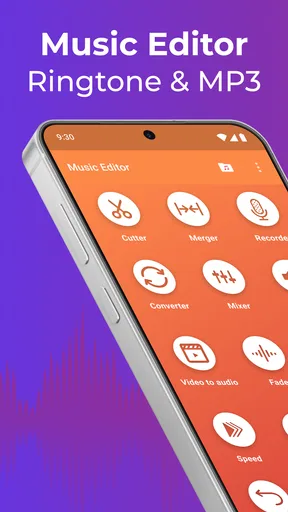
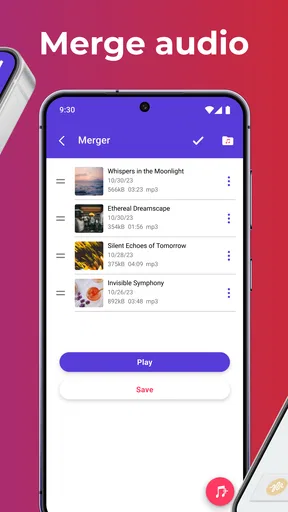
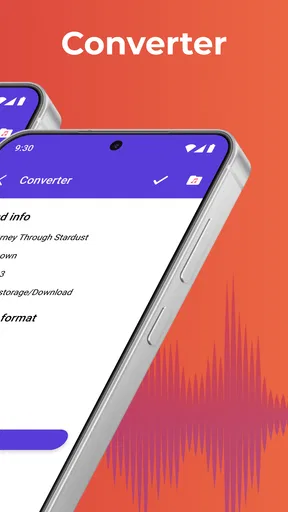
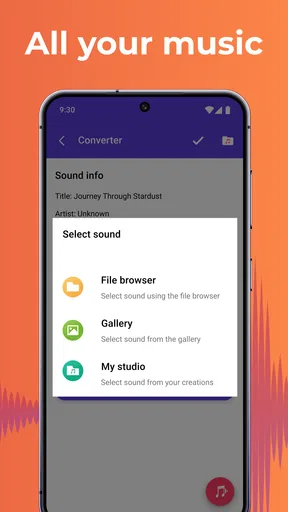
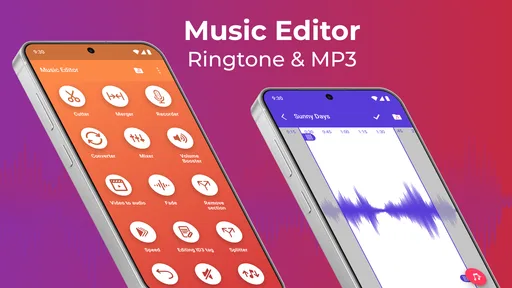
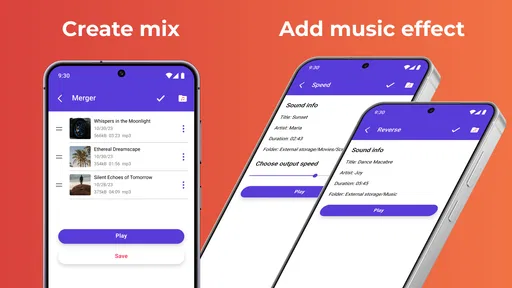
I started by exploring the main features. The app lets you trim and merge audio files, which is perfect for crafting those custom ringtones. You can also convert files into different formats, which is a lifesaver if you have a collection of varied audio files.
Worth Reading Before You Choose

EA SPORTS FC Mobile 26 Is a Bigger Football Game, but It Takes Time

Flipboard Shows What News Apps Must Do Beyond the Feed

Switching to Android Auto Means Rethinking Your Driving Routine

Google Calendar Makes a Crowded Week Easier to Manage

Ludo King Makes the Most of the Minutes Between Plans

Baby Panda World Brings Quick Play to Modern Phones, but Its Game Library Feels Busy
Features That Stand Out
One thing that caught my attention is the app’s ability to adjust audio volume. This feature is super handy if you have tracks that are too quiet or too loud. Plus, it includes a fade-in and fade-out effect to make those transitions smooth as butter.
In practice, I would use fades as a finishing touch, not as a substitute for choosing a good edit point. A ringtone cut that begins in the middle of a word or musical phrase can still sound jarring even with a gradual fade. I would first find a natural start and end, then use a short fade only if the edges click or feel too sudden. For a notification sound, a clear, direct start may actually be better than a soft entrance that delays the useful part.
Another cool feature is the option to extract audio from videos. Have you ever watched a video and thought, "I need that song as my ringtone"? With this app, you can easily snatch the audio and make it your own.
That video workflow is handy for personal clips, but it calls for a little care. I would listen to the extracted portion before trimming, because a video’s audio can include speech, background noise, or a quiet lead-in before the moment I want. If the aim is a recognizable ringtone, cutting around the clearest section usually works better than simply taking the opening seconds. And if I only need a sound for myself, I would still avoid assuming that extraction grants permission to redistribute somebody else’s music or video audio.
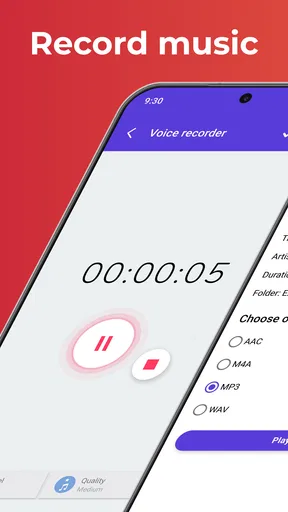
The app also supports a wide range of formats, including MP3, WAV, AAC, and more. This makes it versatile enough to handle almost any audio file you throw at it.
Format conversion is most useful when it solves a specific compatibility problem, not as a routine step for every file. If a clip already plays where I need it, converting it again may add work without improving what I hear. I would keep the original and make a converted copy only when the destination or sharing method needs a different format. This also makes it easier to tell which file is the source and which one is the edited version.
Using the App: A Personal Take
Now, let’s talk about the actual user experience. The process of selecting a file, editing, and saving it is intuitive. I didn’t have to dig through any complicated menus or settings. Everything is laid out in a logical manner, so even a novice can figure things out without a hitch.
A realistic use for me would be making a distinctive ringtone from a short section of a song I already have on my phone. I would choose a recognizable passage, trim away the extra lead-in, listen to the beginning and ending, and then make small adjustments rather than rushing to save the first cut. If the phone is used in a busy place, I would also raise or lower the clip’s volume with its intended setting in mind: something that sounds balanced through headphones may feel too loud or too soft as a call alert.
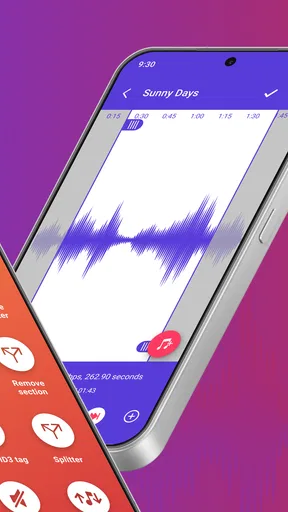
One feature I particularly enjoyed was the precision editing capability. You can zoom in on the audio waveform to make precise cuts, which is crucial for getting that perfect loop or clip.
Waveform editing is particularly valuable when the sound has a sharp event, such as a hand clap, a beat, or the start of a spoken word. I would zoom in to line up the boundary, then listen to the cut from the beginning rather than judging it only by looking at the waveform. A visually neat boundary does not guarantee a natural-sounding loop. For spoken audio, leaving a little breathing room can sound more human than trimming right up to the first syllable.
For those who love sharing their creations, the app makes it super easy to save and share your edited files. Whether you want to set it as your ringtone directly or share it with friends, it’s just a couple of taps away.
Before sharing, I would give the saved file a name that distinguishes it from the source and listen to it once outside the editing screen. That final check catches a common small mistake: saving the right section with an awkward ending or choosing a version with the wrong volume. If I am preparing several clips, I would finish and test one before starting the next so it is easier to keep track of which edit sounds best.
Where it sits among audio tools
Compared with a basic ringtone cutter, this app’s mix of trimming, merging, volume changes, fades, conversion, and video-audio extraction gives me more room to prepare a file in one place. A simple cutter can be preferable if all I want is to remove the start and end of one track and I value the fewest possible choices. At the other extreme, desktop audio software is a better fit when I need multitrack arrangement, detailed mixing, or a production workflow with more control than a phone editor is meant to provide.
That middle ground is the useful distinction: this is for small, self-contained edits, not for repairing a noisy recording or composing a polished track from layers. I would recommend it to someone who wants a ringtone, a short sound clip, or a convenient way to adjust an existing audio file. I would steer a musician who needs precise engineering tools toward a dedicated workstation, and a person who never edits audio toward the phone’s built-in sound controls instead.
What to keep in mind before relying on it
Even an approachable editor involves a few decisions. A longer source file can take time to inspect, and it is easy to trim too aggressively when the waveform is unfamiliar. Listening before and after each edit is more dependable than making a cut by guesswork. Similarly, merging clips may be convenient, but it does not automatically make their volume or tone match; I would check the join carefully and adjust levels where needed.
There is also a difference between making a file and making the phone use it as intended. Saving or sharing an edit is one step; selecting a sound as a ringtone may depend on the phone’s own settings and file handling. I would not assume every device presents the same route after an edit. If setting a sound directly does not work as expected, saving the file and selecting it through the phone’s sound settings is a sensible alternative.
The purchase range is broad, so I would look at the in-app purchase screen before paying for anything and decide whether the free version already covers my actual task. A person who only makes an occasional short cut may not need to spend at all. Someone who uses the app regularly can judge whether any paid option is worth it for their own routine rather than assuming that payment is necessary to get started.
Final Thoughts: Is It Worth Your Time?
After spending some quality time with Music Editor: Ringtone & MP3, I can say it’s definitely worth checking out. It’s packed with features that cater to both casual users and those who might be a bit more serious about their audio editing.
While it might not replace professional editing software for hardcore audio enthusiasts, it’s a great tool for quick edits and creating personalized ringtones. Plus, the ease of use and variety of features make it a solid choice for anyone looking to spice up their phone’s soundscape.
So, if you’re in the market for a reliable and user-friendly music editing app, give this one a shot. You might just find yourself creating ringtones that make your friends ask, "Where did you get that?"
My recommendation is strongest for people who already know what they want to do with a sound and need a straightforward way to prepare it on a phone. The combination of trimming, fades, volume adjustment, format conversion, and extracting audio from video gives it practical flexibility without making it a substitute for specialist production tools. Take a moment to audition the finished clip, keep an untouched source, and be selective about purchases; those habits make the app’s everyday strengths easier to appreciate.
What I would watch for over time
Because the app has been around since 2017 and has reached version 5.9.4, existing users may reasonably care about whether their familiar workflow remains comfortable as the product develops. The confirmed version and release history establish that it has continued beyond its initial release, but they do not by themselves tell me what changed between versions. I would avoid attributing a particular new feature or interface overhaul to an update without checking the app itself.
For someone who already edits in it, the practical test is whether file selection, waveform work, saving, and sharing continue to fit the way they use their phone. Before updating, I would keep important source audio elsewhere and make sure a finished edit is saved where I can find it. That is sensible file hygiene for any editor, especially when a ringtone or voice clip is hard to recreate.
For a new user, the key things to watch are not headline features but the details of a specific task: how easily a chosen file can be located, whether the cut sounds smooth on the phone speaker, and whether the saved result is convenient to select afterward. If those steps feel natural, this is a useful pocket tool. If I find myself needing layers, noise cleanup, or highly controlled sound design, that is the point where I would move to a more specialized audio editor rather than expecting this one to grow into a studio.
Pros
- User-friendly interface for quick edits.
- Wide range of supported audio formats.
- High-quality output without distortion.
- Ability to merge multiple tracks easily.
- Customizable ringtone creation options.
Cons
- Limited advanced editing features.
- Occasional in-app ads can be disruptive.
- No direct cloud storage integration.
- Some features locked behind a paywall.
- Requires frequent updates for stability.
FAQs for Music Editor: Ringtone & MP3
What features does Music Editor: Ringtone & MP3 offer?
Music Editor: Ringtone & MP3 provides a comprehensive suite of audio editing tools. Users can cut, merge, and mix audio files with ease. The app also supports various audio formats, allowing you to convert files and create custom ringtones. Additionally, it features an intuitive interface suitable for both beginners and advanced users.
Is Music Editor: Ringtone & MP3 compatible with all audio formats?
While Music Editor: Ringtone & MP3 supports a wide range of popular audio formats such as MP3, WAV, AAC, and more, there may be some less common formats that are not supported. It’s advisable to check the app’s specifications or user feedback for specific format compatibility if you work with unusual file types.
Does Music Editor: Ringtone & MP3 require an internet connection to use?
No, Music Editor: Ringtone & MP3 does not require an internet connection for basic editing features. However, for downloading additional resources or accessing online help and updates, an internet connection might be necessary. Enjoy offline editing anytime and anywhere with this app’s core functions.
Are there in-app purchases or ads in Music Editor: Ringtone & MP3?
Yes, Music Editor: Ringtone & MP3 may include in-app purchases to unlock premium features or remove ads. The free version typically provides essential functionalities, but for an ad-free experience or advanced tools, upgrading might be necessary. Check the app’s store listing for details on pricing and features.
Is Music Editor: Ringtone & MP3 user-friendly for beginners?
Yes, the app is designed with a user-friendly interface, making it accessible for beginners. Clear instructions and intuitive controls help new users navigate the editing tools easily. Tutorials and help sections are often available to assist users in maximizing the app’s potential without prior experience.


